Most developers do not need another AI model.
They need a simpler way to test, switch, and use multiple AI models without managing ten different API keys, dashboards, billing systems, and provider-specific setups.
That is where Kyma API becomes interesting.
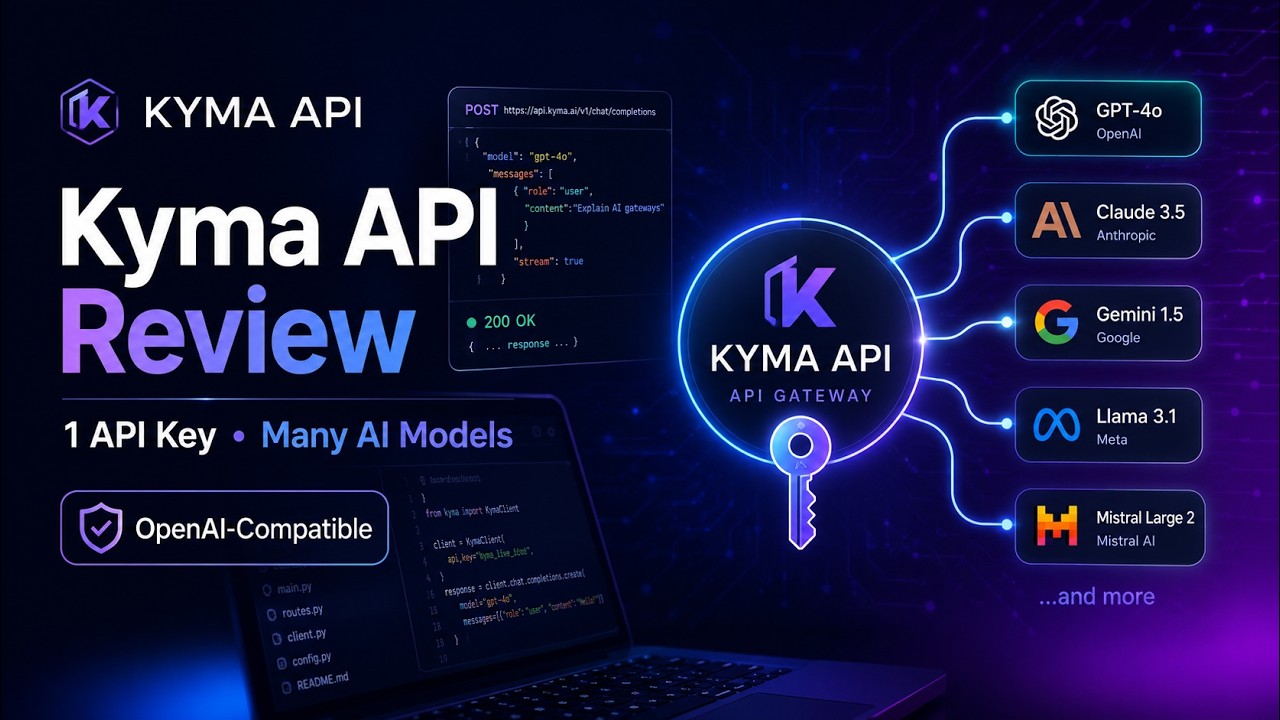
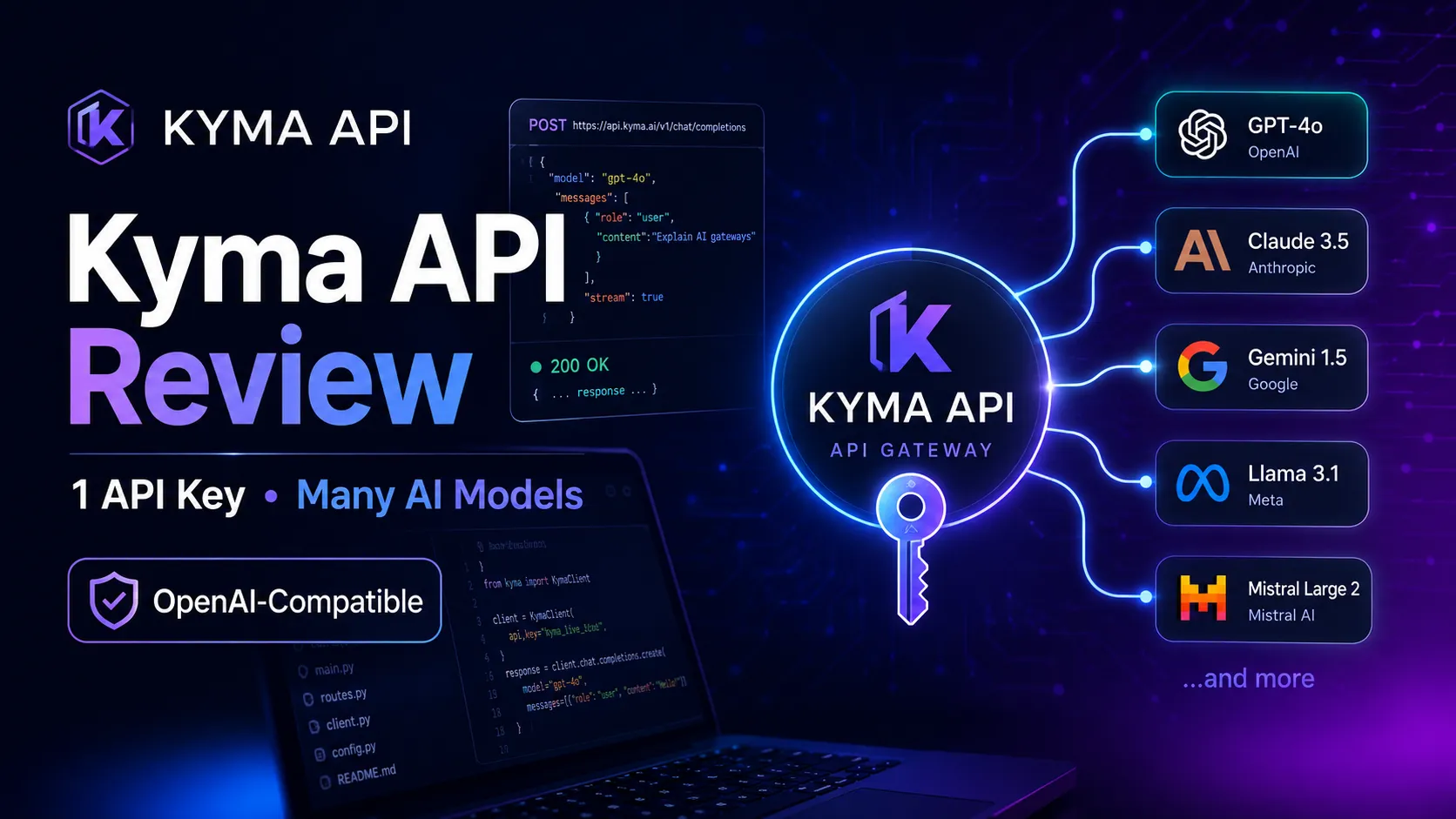
Kyma API is an OpenAI-compatible AI API gateway built for developers, AI builders, coding agent users, indie hackers, and SaaS founders who want to access multiple AI models through one API key and one endpoint.
Instead of creating separate accounts for every model provider, Kyma API gives you a simpler workflow:
one API key, one balance, multiple AI models.
If you are building AI apps, chatbots, coding agents, automation tools, or SaaS products, Kyma API can help you test models faster and simplify your AI development stack.
In this review, we will look at what Kyma API does, who it is for, its main benefits, its limitations, and whether it is worth trying.
Try Kyma API here:
https://kymaapi.com
What Is Kyma API?
Kyma API is an AI API gateway that lets developers access multiple AI models through one OpenAI-compatible API endpoint.
In simple terms, it allows you to use different AI models without changing your entire codebase every time you want to test a new model.
If your app already uses an OpenAI-style API request, Kyma API may allow you to keep a similar structure and only change a few things, such as:
Base URL
API key
Model name
This is useful because many AI tools, agents, and frameworks already support OpenAI-compatible APIs.
For example, if you are building with Python, Node.js, Cline, Cursor, OpenCode, LangChain, CrewAI, or other AI development tools, an OpenAI-compatible gateway can make your workflow much easier.
The core idea is simple:
Kyma API helps developers test and use multiple AI models through one unified API system.
Why Kyma API Matters
The AI model market is growing very fast.
Every month, there are new models for:
Coding
Writing
Reasoning
Chatbots
Image generation
Video generation
Audio generation
Automation
AI agents
The problem is that each model provider may have its own account system, pricing page, API key, documentation, billing method, and integration style.
For developers, this creates friction.
You may want to test several models, but you do not want to waste time setting up everything again and again.
Kyma API tries to solve this problem by giving you a single API gateway for multiple models.
This means you can focus more on building your product and less on managing API providers.
The Main Problem Kyma API Solves
If you have ever built an AI app, you probably know this situation:
You start with one model.
Then you hear about another model that is better for coding.
Then you find another model that is cheaper.
Then another model is better for long-context tasks.
Then another provider has image generation.
Then another one has better speed.
Before long, your project becomes messy.
You have:
Too many API keys
Too many dashboards
Too many pricing systems
Too many SDK differences
Too many model names to manage
Too much time spent switching providers
Kyma API simplifies this by acting as a gateway between your application and multiple AI models.
Instead of rebuilding your integration every time, you can connect through Kyma API and test different models more easily.
Who Should Use Kyma API?
Kyma API is best for people who are building or testing AI-powered tools.
1. Developers
If you are a developer building chatbots, AI tools, coding assistants, internal tools, or automation systems, Kyma API can help you test different models without managing too many API integrations.
2. Indie Hackers
If you are building small AI SaaS products, MVPs, or AI micro-tools, speed matters.
Kyma API can help you move faster because you do not need to set up every model provider separately.
3. SaaS Founders
If you are creating an AI-powered SaaS product, you may need to compare model quality, cost, speed, and reliability.
Kyma API can be useful during the testing and prototyping stage.
4. Coding Agent Users
If you use tools like Cline, Cursor, OpenCode, Kilo Code, Continue, or similar coding agents, Kyma API can be useful as an OpenAI-compatible backend.
This is one of the strongest use cases for Kyma API.
5. AI Automation Builders
If you build AI workflows using Python, Node.js, LangChain, CrewAI, n8n, or other automation tools, Kyma API can help you connect AI models into your workflows more easily.
6. Content Tool Builders
If you want to build tools for blog writing, social media content, product descriptions, ad copy, or SEO content, Kyma API can work as the AI backend for your tool.
Key Benefits of Kyma API
1. One API Key for Multiple AI Models
The strongest benefit of Kyma API is simple:
You can access multiple AI models through one API key.
This is useful because managing many different API keys can quickly become annoying and inefficient.
For developers who want to test different models, this can save a lot of time.
Instead of spending hours setting up new provider accounts, you can focus on testing output quality and building your product.
2. OpenAI-Compatible API
Kyma API supports an OpenAI-compatible format.
This is important because many existing AI tools and code examples are already written around the OpenAI API structure.
If a tool supports custom OpenAI-compatible endpoints, you may be able to connect Kyma API by changing the base URL and API key.
This makes Kyma API easier to test than a completely new API system.
For developers, this is a major advantage because nobody wants to rewrite a working application just to test another model.
3. Useful for Coding Agents
AI coding agents are becoming more popular among developers.
Tools like Cline, Cursor, OpenCode, Continue, Aider, and similar agents can help with:
Writing code
Fixing bugs
Refactoring files
Creating components
Explaining errors
Generating tests
Building small apps
Kyma API is a strong fit for this trend because coding agents often support OpenAI-compatible endpoints.
This means developers can potentially connect Kyma API and test different coding models inside their existing coding workflow.
For content creators and affiliate marketers, this also creates a strong content angle:
“Use one API gateway to power your coding agent with different AI models.”
That is a very good hook for developer-focused short videos.
4. Faster Model Testing
One of the most valuable things in AI development is fast experimentation.
A model may look good on paper, but you only know if it works for your use case after testing it.
Kyma API can make model testing faster because you do not need to rebuild your integration every time.
You can test different models for:
Coding
Chat
Writing
Reasoning
Summarization
Content generation
AI agents
Product prototypes
This is especially useful for indie hackers and SaaS builders who need to move fast.
5. Good for AI SaaS Prototypes
If you are building an AI SaaS product, your first version does not need to be perfect.
You need to test:
Does the idea work?
Do users like the output?
Which model performs best?
Is the cost reasonable?
Is the speed acceptable?
Can this become a real product?
Kyma API can help during this early stage because it gives you flexibility.
Instead of locking yourself into one model too early, you can test different models and choose the best one for your product.
6. Good for Chatbots and AI Assistants
Kyma API can also be useful for chatbot and AI assistant projects.
Examples include:
Website chatbot
Customer support assistant
Internal company assistant
AI writing assistant
AI research assistant
AI sales assistant
AI study assistant
AI coding assistant
If you are building these tools, having access to multiple models through one gateway can help you compare performance and improve your product faster.
Example Use Case: Build a Simple AI Chatbot
Let’s say you want to build a chatbot for a website.
Without an API gateway, you may need to choose one provider first.
You create an account, get the API key, read the documentation, connect the API, test the model, then realize the output is not good enough.
Then you want to try another model.
So you repeat the whole process again.
With Kyma API, the process can be simpler:
Create a Kyma API account.
Get your API key.
Use the OpenAI-compatible endpoint.
Connect it to your app.
Test different models.
Choose the model that works best.
This can save time, especially during the MVP stage.
Try Kyma API here:
https://kymaapi.com
Example Use Case: Use Kyma API With a Coding Agent
Another strong use case is using Kyma API with coding agents.
For example, if you use a coding agent that supports OpenAI-compatible providers, you may be able to enter:
Kyma API base URL
Kyma API key
Model name
Then you can test different coding models inside your coding workflow.
This is useful for developers who want to experiment with different models for:
Bug fixing
Code generation
Refactoring
Test writing
Documentation
App prototyping
Instead of depending on only one model, Kyma API gives you more flexibility.
Example Use Case: Build a Content Generator
Kyma API can also be used to build content tools.
For example, you could build:
Blog title generator
SEO meta description generator
TikTok hook generator
Product description generator
Facebook ad copy generator
Email subject line generator
YouTube script idea generator
If you are a marketer, freelancer, or indie builder, you can create small AI tools for clients or your own business using Kyma API as the backend.
This is a practical use case because many businesses need content, but they do not want complicated AI setups.
Kyma API Pros and Cons
Pros
1. Clear Value Proposition
Kyma API is easy to understand for developers:
one API key, many AI models.
That is a strong and simple message.
2. Saves Setup Time
Instead of managing many providers separately, developers can test multiple models through one gateway.
This can save time during development and experimentation.
3. OpenAI-Compatible
OpenAI-compatible APIs are easier to adopt because many tools already support this structure.
This lowers the technical barrier for developers.
4. Strong Fit for Coding Agents
Coding agents are one of the fastest-growing AI use cases.
Kyma API fits this trend well because developers often want to test different coding models.
5. Good for Tutorials and SEO Content
Kyma API is very suitable for educational content such as:
Kyma API review
Kyma API tutorial
How to use Kyma API with Python
How to use Kyma API with Cursor
How to use Kyma API with Cline
Kyma API vs OpenRouter
Best OpenAI-compatible API gateways
This makes it useful for bloggers, YouTubers, and AI tool reviewers.
Cons
1. Not for Complete Beginners
Kyma API is not a simple consumer app like ChatGPT.
It is mainly for developers or technical users who understand API keys and endpoints.
If someone does not know what an API is, Kyma may feel confusing.
2. Trust and Reliability Matter
For an API gateway, developers will care about:
Uptime
Latency
Model availability
Error handling
Pricing
Support
Long-term stability
Before using Kyma API in production, developers should test it carefully.
3. Competitive Market
Kyma API competes with other model gateways and AI infrastructure platforms.
Developers may compare it with:
OpenRouter
Together AI
Replicate
Direct OpenAI API
Direct Anthropic API
Direct model provider APIs
So the main reason to try Kyma API is convenience, flexibility, and model access.
4. More Technical Content Required
If you want to promote Kyma API, you need to create technical content.
Generic AI marketing content will not be enough.
The best content should include:
Code examples
Setup tutorials
Comparison articles
Real use cases
Demo videos
Honest pros and cons
Kyma API vs Direct AI APIs
Should you use Kyma API or direct API providers?
The answer depends on your goal.
OptionBest ForLimitationDirect OpenAI APITeams committed to OpenAI modelsLess flexible if you want many modelsDirect provider APIsMaximum provider-specific controlMore setup and more dashboardsKyma APIFast testing and model switchingDepends on gateway reliabilityOther AI gatewaysBroad model accessNeed to compare pricing and model support
If you want maximum control over one specific provider, direct API may be better.
If you want flexibility and faster experimentation, Kyma API is worth testing.
Is Kyma API Good for Affiliate Marketing?
Kyma API is a good product for content-driven affiliate marketing , especially if your audience includes developers, AI builders, SaaS founders, and coding agent users.
However, it is not the same as promoting a simple consumer AI tool.
The audience is more technical.
That means the best affiliate content should be educational and practical.
Good content angles include:
How to use Kyma API
Kyma API review
Kyma API with Cursor
Kyma API with Cline
Kyma API vs OpenRouter
Best OpenAI-compatible APIs
Build a chatbot with Kyma API
Build an AI tool using Kyma API
The strongest affiliate strategy is to create useful tutorials and naturally recommend Kyma API as the tool used in the tutorial.
Try Kyma API here:
https://kymaapi.com
Best Short Video Hooks for Kyma API
If you want to promote Kyma API through short videos, here are some strong hooks:
“Stop managing 10 different AI API keys.”
“I changed one line of code and switched AI models.”
“This API gateway lets you test multiple AI models faster.”
“If you use Cline or Cursor, you should test this.”
“Most developers build AI apps the hard way.”
“One API key. Many AI models. That is the idea.”
“This is useful if you are building an AI SaaS.”
“I tested an OpenAI-compatible API gateway.”
“Your coding agent needs better model flexibility.”
“Do not lock your AI app into one model too early.”
These hooks work because they speak directly to developer pain points.
Best Blog Topics Around Kyma API
Kyma API can also be used as the foundation for multiple SEO articles.
Here are good article ideas:
Kyma API Review: One API Key for Many AI Models
How to Use Kyma API With Python
How to Use Kyma API With Cursor
How to Use Kyma API With Cline
Kyma API vs OpenRouter
Best OpenAI-Compatible APIs for Developers
How to Build a Chatbot With Kyma API
Best AI API Gateways for Coding Agents
How to Switch AI Models Without Rewriting Your App
Best AI APIs for Indie Hackers
These topics can attract developer traffic from Google and social platforms.
Who Should Try Kyma API First?
Kyma API is especially worth trying if you are:
Building an AI SaaS product
Testing multiple AI models
Using coding agents
Creating AI automation workflows
Building chatbots
Creating AI content tools
Comparing AI model performance
Looking for an OpenAI-compatible API gateway
It is less suitable if you only want a simple chatbot interface and do not want to touch APIs.
Final Verdict: Is Kyma API Worth Trying?
Yes, Kyma API is worth trying if you are a developer, indie hacker, AI builder, coding agent user, or SaaS founder who wants a simpler way to access multiple AI models.
Its biggest strength is not hype.
Its biggest strength is convenience.
Instead of managing many model providers separately, Kyma API gives you a single OpenAI-compatible gateway that can simplify testing and development.
The best use cases are:
AI coding agents
Chatbots
AI assistants
AI SaaS prototypes
Developer tools
Content generation tools
Model testing workflows
Kyma API is not for everyone. It is mainly for technical users.
But for developers who want flexibility, it is definitely worth testing.
Try Kyma API here:
https://kymaapi.com
FAQ
What is Kyma API?
Kyma API is an OpenAI-compatible AI API gateway that lets developers access multiple AI models through one API key and endpoint.
Is Kyma API the same as OpenAI?
No. Kyma API is not OpenAI. It provides an OpenAI-compatible format, which means developers can use a similar API structure, but Kyma is a separate platform.
Who is Kyma API for?
Kyma API is mainly for developers, AI builders, indie hackers, SaaS founders, coding agent users, and automation builders.
Can Kyma API be used with coding agents?
Yes, Kyma API is suitable for coding agents that support OpenAI-compatible API endpoints.
Is Kyma API beginner-friendly?
It is beginner-friendly for developers, but not for complete non-technical users. You should understand basic API concepts.
What is the biggest benefit of Kyma API?
The biggest benefit is the ability to test and use multiple AI models through one API key and one OpenAI-compatible endpoint.
Is Kyma API good for building AI SaaS products?
Yes. It can be useful for testing models, building MVPs, creating chatbots, and developing AI-powered SaaS tools.
Is Kyma API good for content creators?
Kyma API is not a normal content creation app, but developers can use it to build content generation tools such as blog generators, ad copy tools, SEO tools, and social media writing tools.
Should I use Kyma API or direct model provider APIs?
If you want maximum control over one provider, direct API may be better. If you want flexibility and faster model testing, Kyma API is worth trying.
Final CTA
If you are building AI apps, coding agents, chatbots, or SaaS prototypes, Kyma API can help you test multiple AI models with less setup.
Instead of managing many different API keys, you can start with one OpenAI-compatible gateway.
Try Kyma API here:
https://kymaapi.com