
Many crypto users assume that once they sell all their tokens, their wallet is completely empty.
On Solana, that is not always true.
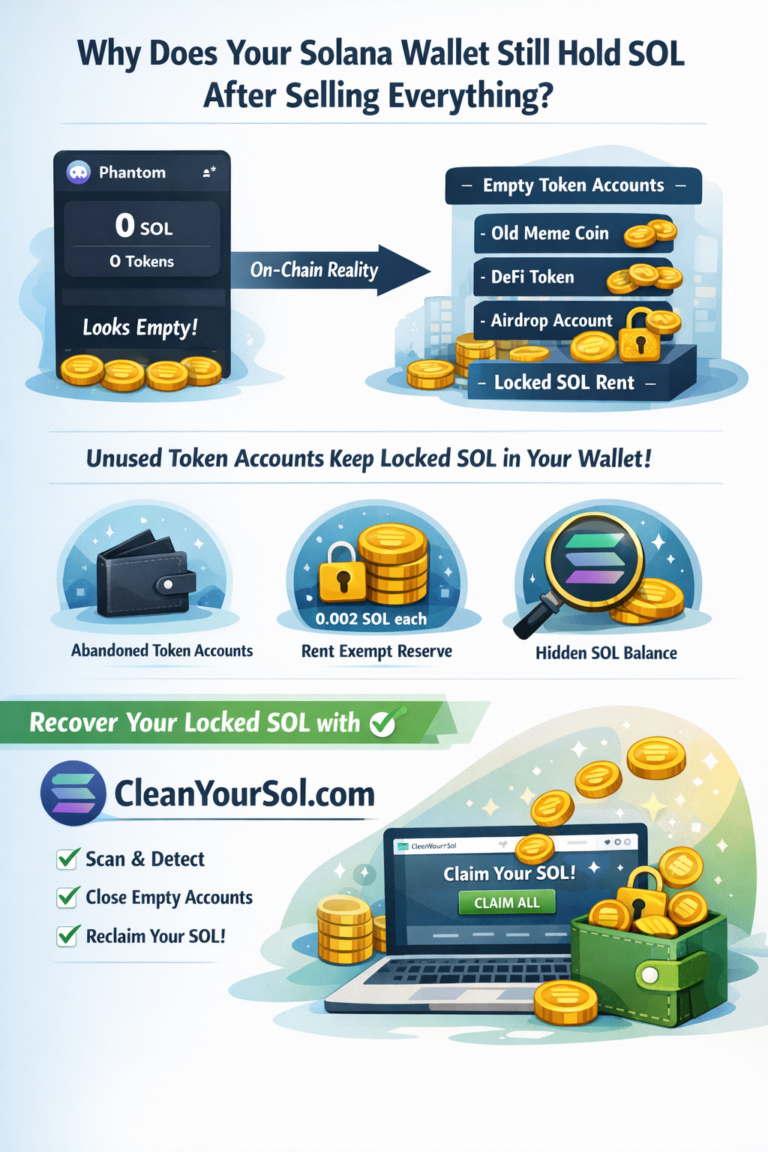
Even if your Phantom or Solflare wallet shows 0 tokens, you may still have recoverable SOL stored inside unused on-chain accounts.
This article explains the technical reason behind it — and how https://cleanyoursol.com helps simplify the recovery process.
Understanding Solana’s Account Model
Unlike some blockchains that store tokens directly inside a wallet, Solana works differently.
When you interact with an SPL token:
- A separate token account is created
- That account must maintain a minimum balance
- SOL is locked as rent-exempt reserve
This design keeps Solana fast and scalable — but it also means:
If you trade many tokens,
you create many token accounts.
And when you sell the tokens?
The accounts remain.
The “Abandoned Account” Effect
Let’s say you:
- Buy 50 meme coins
- Test a few DeFi platforms
- Receive random airdrops
Each action may create a new token account.
Later you sell everything.
Your wallet interface looks clean.
But on-chain:
- Dozens of empty SPL token accounts remain open
- Each holds a small rent reserve
- That SOL is still yours — just locked
Over time, active traders can accumulate significant reclaimable SOL.
Why Doesn’t Solana Close These Automatically?
Because:
- Solana does not assume you’re finished using the token
- Token accounts must be manually closed
- Most wallets do not automate cleanup
That’s why many users never realize they have locked funds.
Introducing CleanYourSol.com
CleanYourSol is a Solana rent recovery tool built specifically to:
- Scan your wallet on-chain
- Identify zero-balance token accounts
- Calculate reclaimable SOL
- Close unused accounts safely
- Return SOL directly to your wallet
🔗 Official Website:
👉 https://cleanyoursol.com
How CleanYourSol Is Different
Instead of requiring:
- Command-line tools
- Developer scripts
- Manual RPC queries
CleanYourSol provides:
- A simple wallet connection
- Automated empty account detection
- One-click SOL reclaim
No private keys required.
No fund custody.
No interaction with active tokens.
🎥 Watch: How SOL Is Recovered in Seconds
In the video you’ll see:
- Wallet before cleanup
- Empty token accounts detected
- SOL returned instantly after closing accounts
This demonstrates how Solana’s account closure works transparently on-chain.
When Should You Use It?
You should check your wallet if you:
- Traded SPL tokens before
- Participated in airdrops
- Used decentralized exchanges
- Tested NFT minting
- Haven’t reviewed an old wallet in months
Even wallets that “look empty” often aren’t.

0 Comments